Zaiko - Inventory Management App
Senior Capstone Class
Overview
Zaiko Inventory is a restaurant-focused inventory management system I helped design during my senior capstone. The idea grew from a shared pain point: keeping track of inventory is one of the most tedious, error-prone tasks in a food business and also one of the most critical.
Our goal was to build something that actually worked for the people using it every day: simple, clean, and functional. We designed with small restaurants in mind first, with a long-term vision to scale into retail and other inventory-heavy industries.
Method
Goal Directed Design
Tools
Figma
FigJam
Adobe Illustrator (Branding)
Timeline
12 Weeks
Role
UI Designer
User Researcher
Team
Mechelle Nguyen
Katherine Lanham
Sarah Siyam
Thanacha Thamma
Nashion Dove (Dev)
Scott Rzasa (Dev)
The Problem
Many small restaurants and even some franchises still rely on manual tools like spreadsheets, Notes apps, or Google Docs to manage inventory. Others, like franchisees using CrunchTime, use dedicated software only because corporate requires it, not because it's user-friendly.
Across the board, restaurant staff struggle with systems that are too complex, unintuitive, or misaligned with how their teams actually work.
Zaiko Inventory was designed to close that gap offering a simple, accessible tool that fits the real day-to-day workflows of restaurant teams, whether independent or franchise-owned.
Our Solution
Zaiko Inventory is a streamlined inventory management system built specifically for restaurant staff, focused on:
Ease of use, even for non-technical users
Fast item entry and updates
Clear visuals for tracking stock levels
A scalable foundation for retail and franchise settings
Our goal was to make inventory management intuitive, flexible, and ideally not a dreaded task.
My Role
II served as UI Designer and User Researcher on a six-person team over 12 weeks, leading visual direction and interface design while supporting early research. I worked closely with our developers and fellow designers across the full process from interviews and flows to high-fidelity mockups and dev handoff.
What I Worked On:
Built a Figma design system using an 8pt grid, semantic color tokens, and auto layout optimized for iPad.
Created wireframes and prototypes for core flows, including inventory input and stock tracking.
Co-led user interviews and translated insights into task flows and early design concepts.
Contributed to final high-fidelity UI, refining layouts and preparing developer-ready assets with the team.
Research & Discovery
Before designing, our team invested time in understanding the problem space through user interviews, literature review, and internal discovery sessions separating assumptions from real user needs to build a clearer picture of what Zaiko needed to solve.
Persona Hypothesis
Before conducting interviews, we mapped out initial assumptions about two key user types:
Managers – responsible for overseeing inventory and operations
Store Associates – often tasked with counting or updating inventory at the end of shifts
This exercise clarified our assumptions around each role's behaviors, goals, and frustrations — for example, hypothesizing that managers would be more tech-comfortable and cost-focused, while associates would prioritize speed and simplicity. These assumptions shaped our interview questions and ensured we captured both perspectives.

Initial persona hypothesis outlining assumptions about managers and store associates.
User Interviews
TTo understand how restaurant staff currently manage inventory, we interviewed four participants across different roles and business types including shift managers, store associates, and front-line staff from both independent restaurants and franchises.
Using a semi-structured script, we explored how inventory is tracked, what tools are used, key pain points, and desired improvements. Participants described managing inventory with everything from pen and paper to iPads, phones, and even RFID scanners.
Interview Takeaways
Systems are inconsistent and fragmented. Some rely on pen and paper or spreadsheets; others use apps like CrunchTime or Truve only because their company requires it — most tools weren't designed with the end user in mind.
Sharing information is a common challenge. Inventory data is often siloed in personal files, making it hard to access across teams or shifts and leading to confusion and duplicated work.
Organizing items is harder than it should be. Users struggled to categorize and track products, especially when systems didn't match how their kitchen or storage areas were physically laid out.
Customization is limited. Users wanted better ways to track seasonal items, update counts for open containers, and combine inventory across locations — flexibility most existing tools lacked.
Time spent varies widely. Inventory took anywhere from 15 minutes to 1.5 hours depending on the system and store, with manual methods consistently slower and more error-prone.
From Research to Design
After synthesizing our interview findings, we created a primary persona named Tori Jones, a 24-year-old store manager who helped guide our design direction. Tori represents a common type of user we spoke with: someone responsible for tracking inventory, training staff, and ensuring daily operations run smoothly, often while working with limited time and outdated tools.
Persona Profile (Tori Jones):
Role: Primary Persona (Age 24, Store Manager, Atlanta)
End Goals: Streamline the process, personalize the experience, achieve error-free inventory tracking
Life Goal: Advance to district manager or store owner
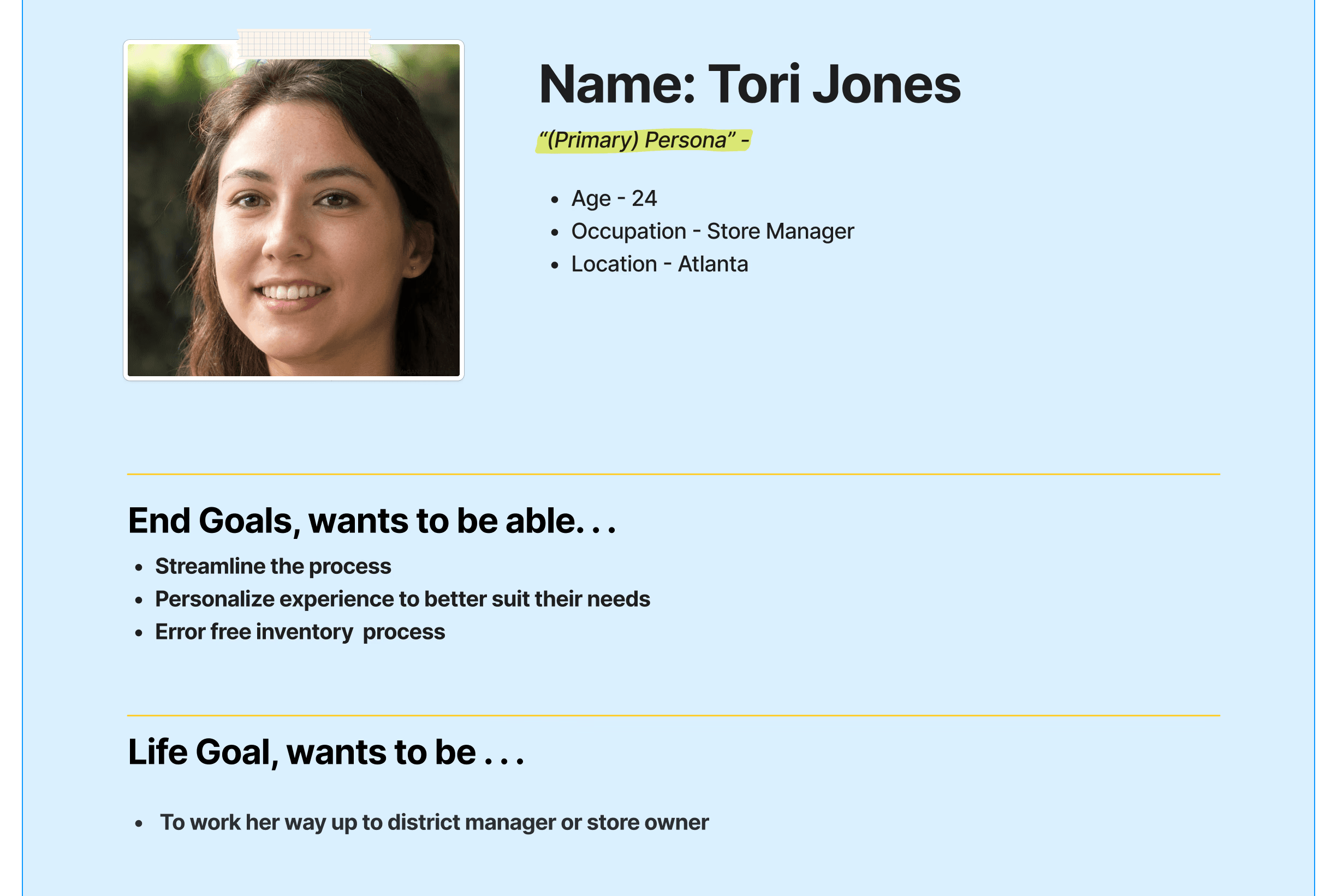
Persona that the team created as a result of our research.
Design decisions driven by research
Collaborative Inventory Tracking — A shared, real-time dashboard to eliminate data silos.
Clear, Customizable Organization — Flexible item categories and location labels matching physical storage layouts.
Streamlined iPad Input — Optimized layouts with large tap targets, simplified flows, and minimal input steps.
Visibility for Owners and Managers — Usage summary views and a history log to surface product usage without manual reporting.
Wireframes
Before high-fidelity design, we built low-fidelity wireframes and task flows to explore layout ideas and user journeys quickly defining information architecture, screen order, and core interactions without getting distracted by visuals too early.
We used FigJam for flow mapping and Figma for wireframes across key screens: the inventory dashboard, item entry, category views, location lists, filter modals, count history, employee settings, and report logs.

Early sketches and wireframes that helped us figure out the layout and functionality of Zaiko’s main screens before jumping into visual design.
Low-Fidelity Design


Early low-fidelity design showing Zaiko’s layout, task flows, and key screens including inventory lists, item views, and reports.
Final Design
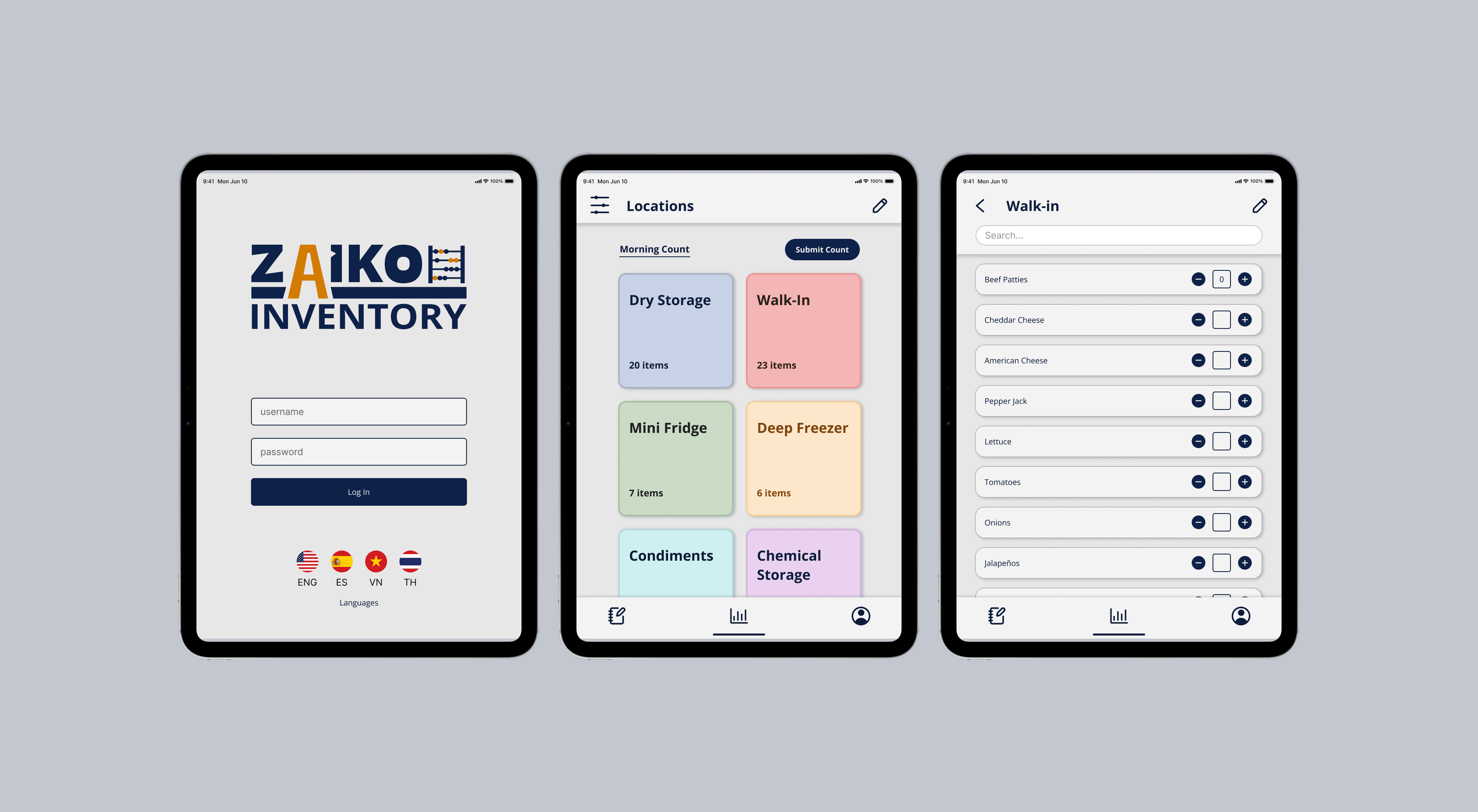
The wireframes evolved into a high-fidelity UI covering core screens including the inventory dashboard, item entry, and stock tracking views — built using the design system's 8pt grid and semantic color tokens, and optimized for iPad interactions.

Outcomes
Presented Zaiko Inventory at our program's demo day, showcasing the design and prototype to a public audience of peers, faculty, and industry guests.
Gathered informal feedback from faculty and peers on the final high-fidelity design, which helped validate our core design decisions — particularly the collaborative dashboard and streamlined iPad input flows.
Successfully delivered a complete concept-to-prototype experience within the 12-week capstone timeline, from user research through final UI.
The team's dev partners (Nashion Dove, Scott Rzasa) used the final designs to begin technical implementation, laying groundwork for a functional MVP.
Note: This project reflects academic capstone work. Development beyond the prototype stage was exploratory and not pursued as a commercial product.